
Lifestyle & Wellness
Ergonomic Home Office Setup - Complete Guide for Developers in 2026
By Riazul Islam•
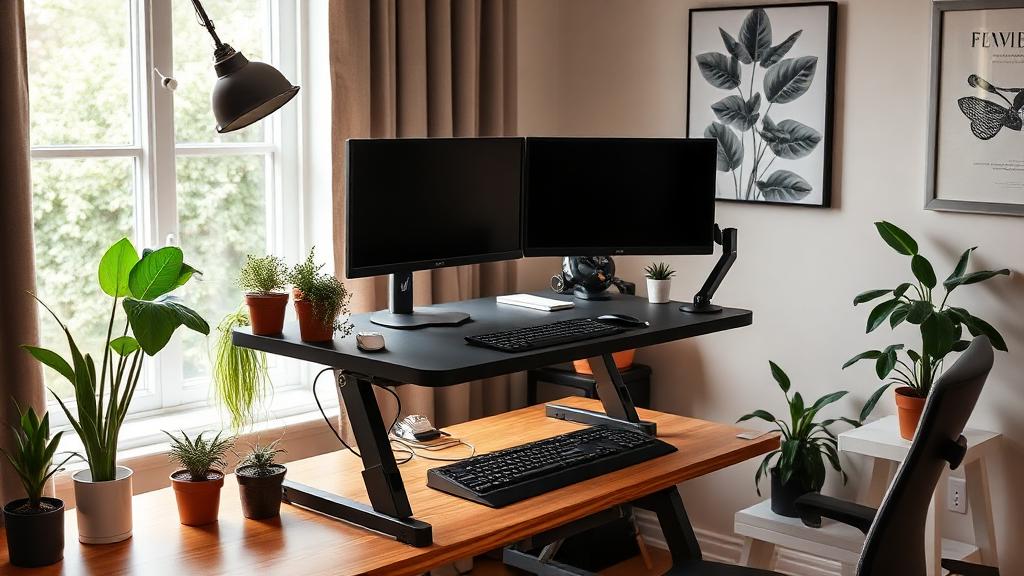
Summary: Build the perfect ergonomic home office that prevents pain and boosts productivity - a complete guide for developers in 2026.
# Ergonomic Home Office Setup - Complete Guide for Developers in 2026
8+ hours of coding daily takes a toll on your body. In 2026, an ergonomic setup is not a luxury - it is a career investment that prevents chronic pain and boosts productivity.
## The Real Cost of Poor Ergonomics
- **65% of developers** report back or neck pain
- **Carpal tunnel syndrome** affects 1 in 10 heavy keyboard users
- **Eye strain** causes headaches in 70% of screen workers
- **Poor posture** reduces productivity by up to 20%
## The Essential Setup
### Desk
**Standing desk** is the best investment:
| Feature | Budget ($300-$500) | Mid-Range ($500-$900) | Premium ($900+) |
| Height adjustment | Manual crank | Electric | Electric + memory |
| Weight capacity | 150 lbs | 250 lbs | 350 lbs |
| Desktop size | 48x24" | 60x30" | 72x30" |
| Recommended | Flexispot E7 | Uplift V2 | Fully Jarvis |
**Key tip:** Alternate between sitting and standing every 30-45 minutes.
### Chair
Non-negotiable features:
- **Lumbar support** (adjustable)
- **Seat depth** adjustment
- **Armrest** height and width adjustment
- **Breathable mesh** back
- **Tilt mechanism** with lock
Top picks for developers:
1. Herman Miller Aeron ($1,395) - Gold standard
2. Steelcase Leap ($1,199) - Best for long sessions
3. Autonomous ErgoChair Pro ($499) - Best value
4. Secretlab Titan ($449) - Budget premium
### Monitor Setup
**Dual monitor** is ideal for development:
- **Primary monitor** at eye level, arm's length away
- **Secondary monitor** at same height, angled 15-20 degrees
- **Monitor arms** free up desk space
- **27" 4K** minimum for comfortable coding
### Keyboard and Mouse
**Split mechanical keyboards** reduce wrist strain:
- Kinesis Advantage360 - Best ergonomic
- ZSA Moonlander - Customizable
- Logitech Ergo K860 - Budget option
**Vertical mice** maintain natural wrist position:
- Logitech MX Vertical - Best overall
- Anker Vertical - Budget pick
## Lighting
- **Desk lamp** with adjustable color temperature
- **Monitor light bar** (BenQ ScreenBar) to reduce glare
- **Natural light** from windows (position desk perpendicular)
- **Bias lighting** behind monitors to reduce eye strain
## Movement and Breaks
### The 20-20-20 Rule
Every 20 minutes:
- Look at something 20 feet away
- For 20 seconds
### Stretch Routine
Every hour, do:
1. Neck rolls (30 seconds)
2. Shoulder shrugs (30 seconds)
3. Wrist circles (30 seconds)
4. Stand and stretch (60 seconds)
## Budget Setup Guide
Complete ergonomic setup under $1,000:
- Standing desk converter: $200
- Ergonomic chair: $300
- Monitor arm: $40
- Mechanical keyboard: $100
- Vertical mouse: $30
- Desk lamp: $50
- Footrest: $30
- **Total: $750**
## Conclusion
Invest in your workspace now to protect your health for decades. Start with the chair and desk, then upgrade peripherals over time. Your body will thank you.
---
*Need help setting up your development environment? [Contact me](/contact) for personalized recommendations.*